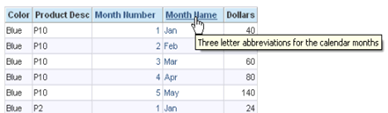
The Ago() “time series function” can be used to show data for a previous time period, as long as the previous time period corresponds to a level that has been defined in the period hierarchy. A typical period hierarchy containing day, month, quarter, and year levels would allow you to use the Ago function to construct measures showing data for day ago, month ago, quarter ago, year ago (or N days ago, N months ago, etc.).
Read More
Tags:
Kurt Wolff,
Oracle BI,
Blog
Someone asked a question on a “Siebel Analytics” email group a few days ago that I thought was worth discussing briefly here. The question posed was how to put a date prompt on a dashboard and return data for that date and the next 30 days. The solution could not involve presentation or report variables, since these were introduced only in a later version of Siebel Analytics that the person who posed the question did not have.
Read More
Tags:
Kurt Wolff,
Oracle BI,
Blog
Award Winning Business Intelligence Applications Solution Realized an ROI of $500 Thousand In The First Week
ORACLE OPENWORLD, San Francisco, CA – October 3, 2011 – KPI Partners, a member of the Oracle® PartnerNetwork, is honored to be selected as Oracle’s 2011 recipient of the North America Titan Award in the ‘Business Intelligence Application Solution’ category. The awards are presented on Tuesday, October 4th during the Oracle North America Partner & Titan Award Gala held at San Francisco’s City Hall.
Read More
Tags:
Oracle OpenWorld,
News,
Oracle BI,
Oracle BI Applications
KPI Partners has developed a pre-built analytic application specifically designed for standard repair processes.
San Francisco, California – October 2, 2011 -- KPI Partners today announced the introduction of Depot Repair Analytics for Oracle Business Intelligence, a solution developed for use with the Oracle Business Intelligence platform and the Oracle E-Business Suite Depot Repair module. KPI’s Depot Repair Analytics enable any organization to monitor and report on repair processes throughout the entire life cycle. Key analytical areas include Repair Orders, Estimates, and Shipping & Billing.
Read More
Tags:
Depot Repair Analytics,
Vikas Agrawal,
News,
Oracle BI,
Oracle BI Applications
By Harisha Pattela
To install and configure BI Composer for Oracle BI EE, use the following steps as a guide:
Step 1
Extend a Web Logic Server domain & to install BI Composer runtime implementation shared libraries:
- Stop the Web Logic Server.
- Launch the Configuration Wizard.
- Select Extend an existing Weblogic domain, and then click Next.
- Select the domain folder (for example, <mw_home>/user_projects/domains/bifoundation_domain), and then click Next.
Read More
Tags:
Harisha Pattela,
Oracle BI,
Blog
By Kurt Wolff
When I read the questions people ask about data modeling on OBIEE forums, one that seems to come up frequently is what to do when you have fact tables that do not join to all dimension tables.
Read More
Tags:
Kurt Wolff,
Oracle BI,
Blog
By Kurt Wolff
“Writeback” – presenting an Answers interface so that users can update data in database tables or insert new rows – first appeared in version 7.8.4. To use OBIEE’s writeback capabilities, there are several set up steps. While each one is simple and fairly straightforward, it’s easy to forget all the steps and where each one is located. This document contains the instructions in case you find yourself forgetting them. Since many people like to demo using Excel as a data source, it focuses first on using Excel. Later, an example using an Oracle table is discussed.
Read More
Tags:
Kurt Wolff,
Oracle BI,
Blog
By Kurt Wolff
It is often convenient to set a number of session variables to capture date values that you use repeatedly in your queries. For example, if you have weeks that end on Saturday, you might want to have the date of the most recent Saturday in a session variable, called perhaps PREVIOUSSATURDAY. You can then use that session variable as the default date value in your queries – for example, “Periods”.”Date” = VALUEOF(NQ_SESSION.PREVIOUSSATURDAY).
Read More
Tags:
Kurt Wolff,
Oracle BI,
Blog
By Kurt Wolff
This post shows how you can use presentation variables to select a single value in a dashboard prompt and produce a result set that includes a range of values. For example, you could select a single year in a prompt and show data for that year and the preceding three years
Read More
Tags:
Kurt Wolff,
Oracle BI,
Blog
By Kurt Wolff
The OBIEE Answers (10g) user interface says to use "fmap" when referring to resources on the presentation server.
Read More
Tags:
Kurt Wolff,
Oracle BI,
Blog